
How to Swap Face
How to Swap Face
Use the Face Swap feature within the Image Retouching module to swap faces between images. Upload a reference face and a model image to generate realistic face swap results.
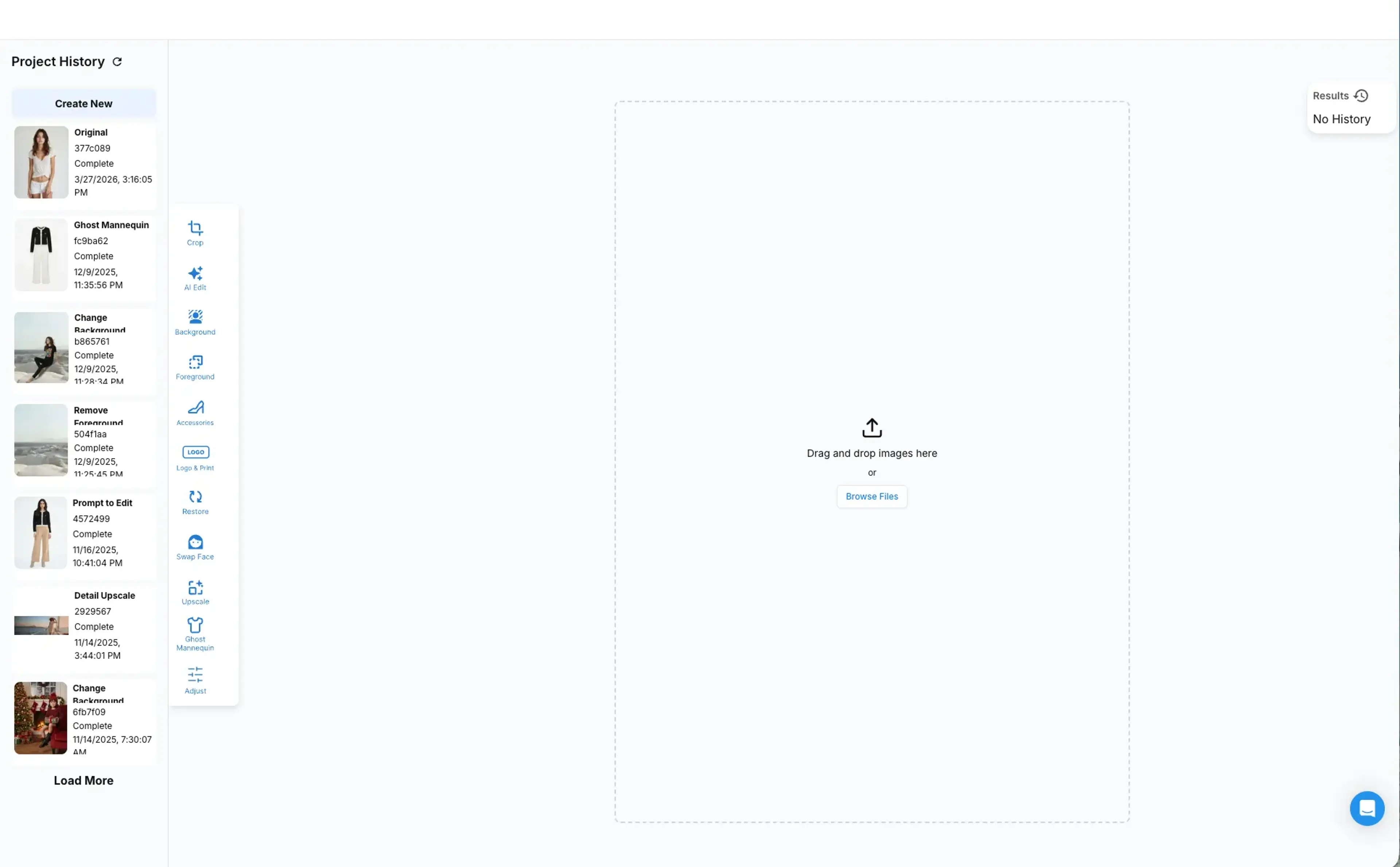
Step 1: Enter the Face Swap feature.
In the Image Retouching module, locate the Face Swap feature.
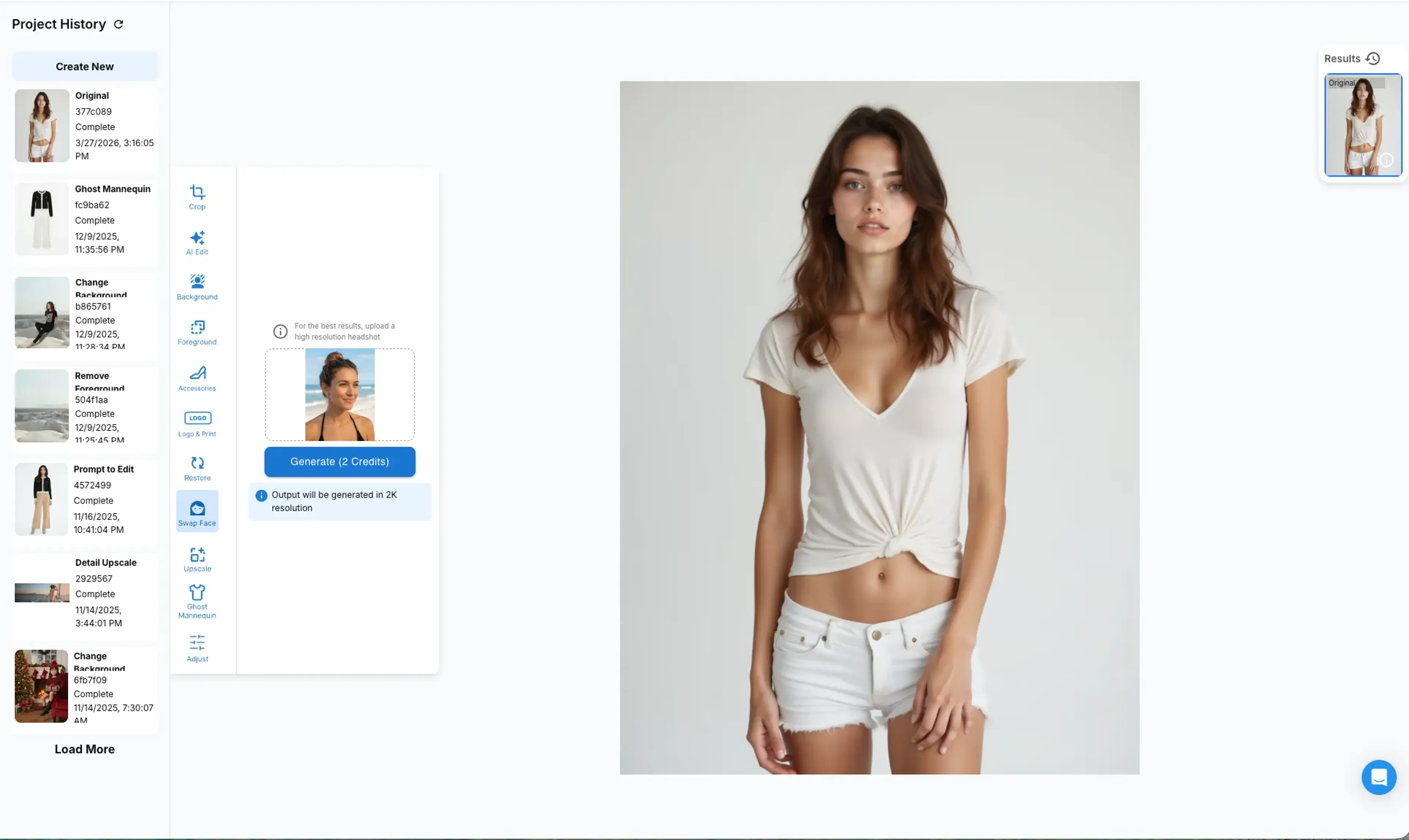
Step 2: Upload a face you’d like to swap to, then click Generate.
Upload the model image whose face you want to swap on the large canvas on the right, and upload the new face reference image in the upload box on the left.
Step 3: Generate results
Hit the generate button and the results will show on the results on the right.
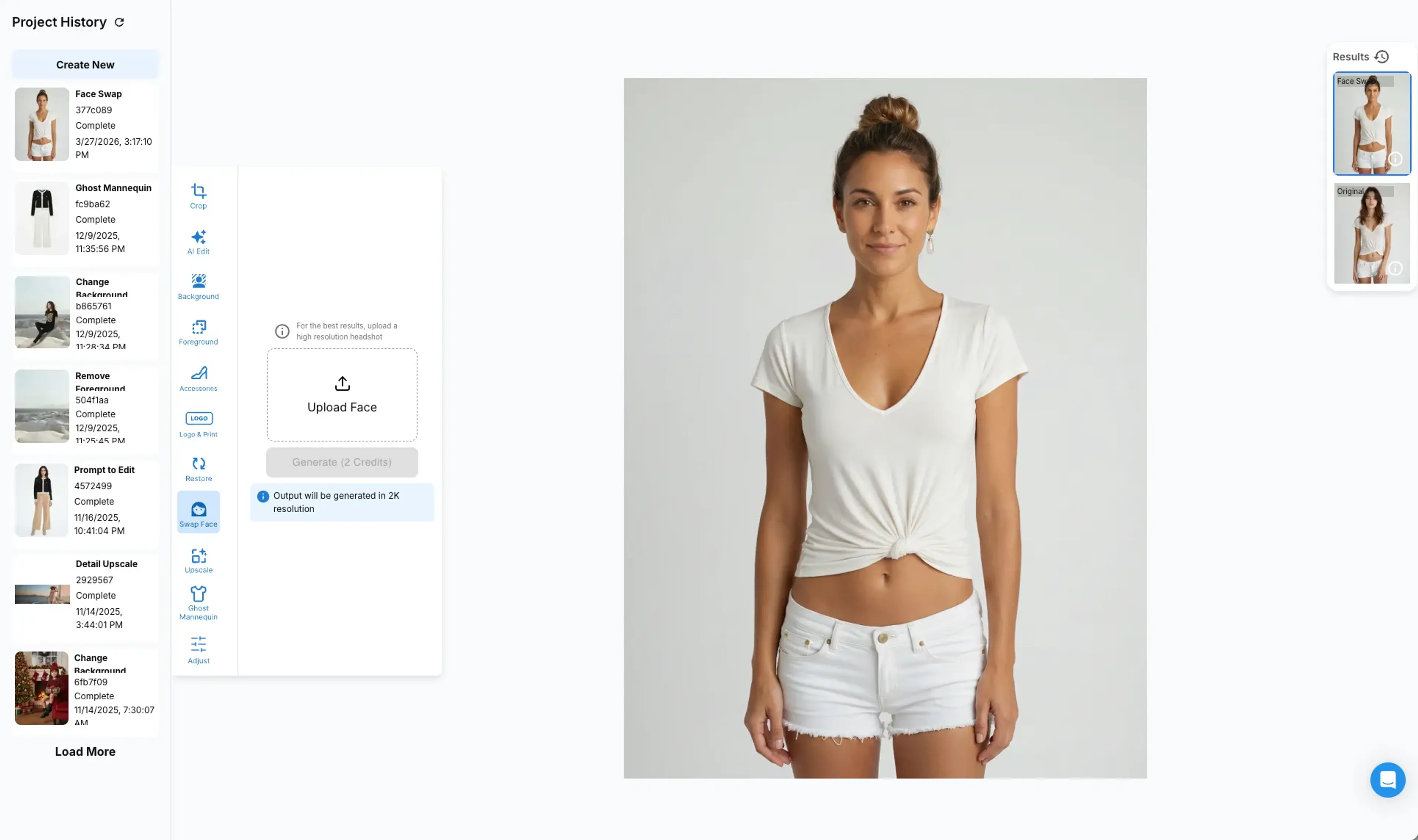
With this swap option the entire model identity will be swapped including the hair style, skin tone and only the clothing and accessories will remain the same as the original.
Related Tutorials
Accessory Try On
Use AI Edit > Accessory feature to try on accessories on a model. The system supports four product categories: Shoes, Bags, Hats, and Jewelries.
How to Change Background
Learn how to change the background of your images using HuHu AI Studio. Use prompts or reference images to replace backgrounds while keeping your model in place.
How to Restore Hands
Use AI Edit Restore feature to restore hand or feet area if they are corrupted in the original images. Currently this feature supports hand restoration with person type selection.