Try-On API
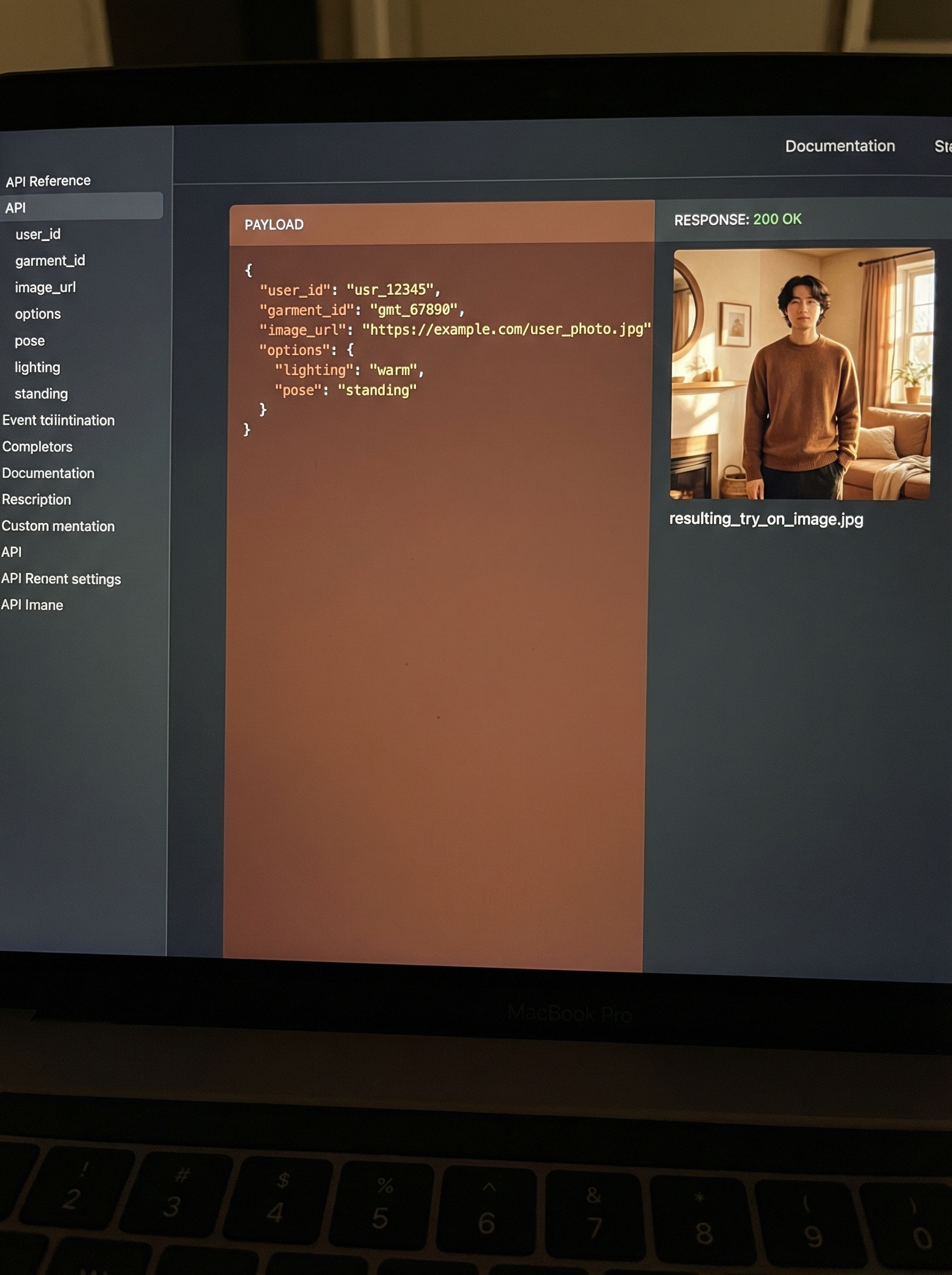
Use Huhu Try-on API to create virtual try on images.

Input Garment
Input Model
Result
Request
The request must be an
HTTP POST, and the body should be either multipart/form-data for direct file uploads or a JSON payload for URL-based references. The request includes: Multipart/Form-Data (use JSON Payload if the payload size exceeds 6MB)
image_garment_file(required): the garment image in JPG or PNG format.image_model_file(required): the model image in JPG or PNG format.garment_type(required): Top/Bottom/Full body.repaint_hands(optional): generate hands when they over the garment, default: false.repaint_feet(optional): generate shoes that match the outfit, default: false.repaint_other_garment(optional): generate the OTHER garment type that match the outfit with given try-on garment, ONLY valid with garment_type is Top or Bottom and model_type is SD_V2 or SD_V3, default: true.model_type(optional): choose the AI model to generate try-on result, from [“SD_V1”, “SD_V2″,”SD_V3”, “HD”] default: SD_V1webhook(optional): the webhook URL to receive updates on job status.
JSON Payload
image_garment_url(required): URL of the garment image.image_model_url(required): URL of the model image.garment_type(required): Top/Bottom/Full body.repaint_hands(optional): generate hands when they over the garment, default: false.repaint_feet(optional): generate shoes that match the outfit, default: false.repaint_other_garment(optional): generate the OTHER garment type that match the outfit with given try-on garment, ONLY valid with garment_type is Top or Bottom and model_type is SD_V2 or SD_V3, default: true.model_type(optional): choose the AI model to generate try-on result, from [“SD_V1”, “SD_V2”, “SD_V3”, “HD”] default: SD_V1webhook(optional): the webhook URL to receive updates on job status.
Responses
The response is a JSON body with information for the user to track the job execution progress. It includes
job_idis the unique id to track the request processing status. It could be used in/requestsapi to get the job execution status in real-time.statusis a field indicating the job execution status. It will always be‘initiated’when successfully submitting the new request.
Authentication
Requests must include an API key for authentication. Sign up in https://app.huhu.ai/tryon/account or contact us at support@huhu.ai to obtain an API key.
Credits
Each successful API call consumes one credit. Contact us for more information on obtaining additional credits.
Rate Limiting
We are allowing 1 api call per second for each API key. Contact us if you need a higher limit at support@huhu.ai
Examples
CURL
Initiate a job:
curl --location 'https://api-service.huhu.ai/tryon/v1' \
--header 'x-api-key: YOUR_API_KEY' \
--form 'image_garment_file=@"/path/to/file"' \
--form 'image_model_file=@"/path/to/file"' \
--form 'garment_type="Top"'
curl --location 'https://api-service.huhu.ai/tryon/v1' \
--header 'Content-Type: application/json' \
--header 'x-api-key: YOUR_API_KEY' \
--data '{
"image_garment_url": "https://huhu-web-statics.s3.us-west-2.amazonaws.com/tryon-garments/Top_Man_Shirt_1.png",
"image_model_url": "https://huhu-web-statics.s3.us-west-2.amazonaws.com/tryon-models/Top_Bottom_FullBody_Man_1.png",
"garment_type": "Top"
}'
Track the job status and get results:
curl --location 'https://api-service.huhu.ai/requests/v1?job_id=YOUR_JOB_ID' \
--header 'x-api-key: YOUR_API_KEY'
Python
Initiate a job:
import requests
url = "https://api-service.huhu.ai/tryon/v1"
payload = {'garment_type': 'Top'}
files=[
('image_garment_file',('file',open('/path/to/file','rb'),'application/octet-stream')),
('image_model_file',('file',open('/path/to/file','rb'),'application/octet-stream'))
]
headers = {
'x-api-key': 'YOUR_API_KEY'
}
response = requests.request("POST", url, headers=headers, data=payload, files=files)
# Checking response status
if response.ok:
data = response.json()
print('Job ID:', data['job_id'])
print('Status:', data['status'])
else:
# Handle errors
response.raise_for_status()
import requests
import json
url = "https://api-service.huhu.ai/tryon/v1"
payload = json.dumps({
"image_garment_url": "https://huhu-web-statics.s3.us-west-2.amazonaws.com/tryon-garments/Top_Man_Shirt_1.png",
"image_model_url": "https://huhu-web-statics.s3.us-west-2.amazonaws.com/tryon-models/Top_Bottom_FullBody_Man_1.png",
"garment_type": "Top"
})
headers = {
'Content-Type': 'application/json',
'x-api-key': 'YOUR_API_KEY'
}
response = requests.request("POST", url, headers=headers, data=payload)
# Checking response status
if response.ok:
data = response.json()
print('Job ID:', data['job_id'])
print('Status:', data['status'])
else:
# Handle errors
response.raise_for_status()
Track the job status and get results:
import requests
url = 'https://api-service.huhu.ai/requests/v1?job_id=YOUR_JOB_ID'
headers = {
'x-api-key': 'YOUR_API_KEY'
}
response = requests.get(url, headers=headers)
if response.ok:
data = response.json()
print('Job ID:', data['job_id'])
print('Status:', data['status'])
if data["status"] == "completed":
print('Output Image URL:', data['output'][0]['image_url'])
else:
print('HTTP Error:', response.status_code)
response.raise_for_status()
Response Status Codes
- 200: Success
- 400: Bad Request
- 401: Unauthorized
- 402: Payment Required
- 403: Forbidden
- 413: Payload exceeds 10MB limit
- 422: Unprocessable Entity
- 429: Too Many Requests
- 500: Internal Server Error
Webhook Integration Guide
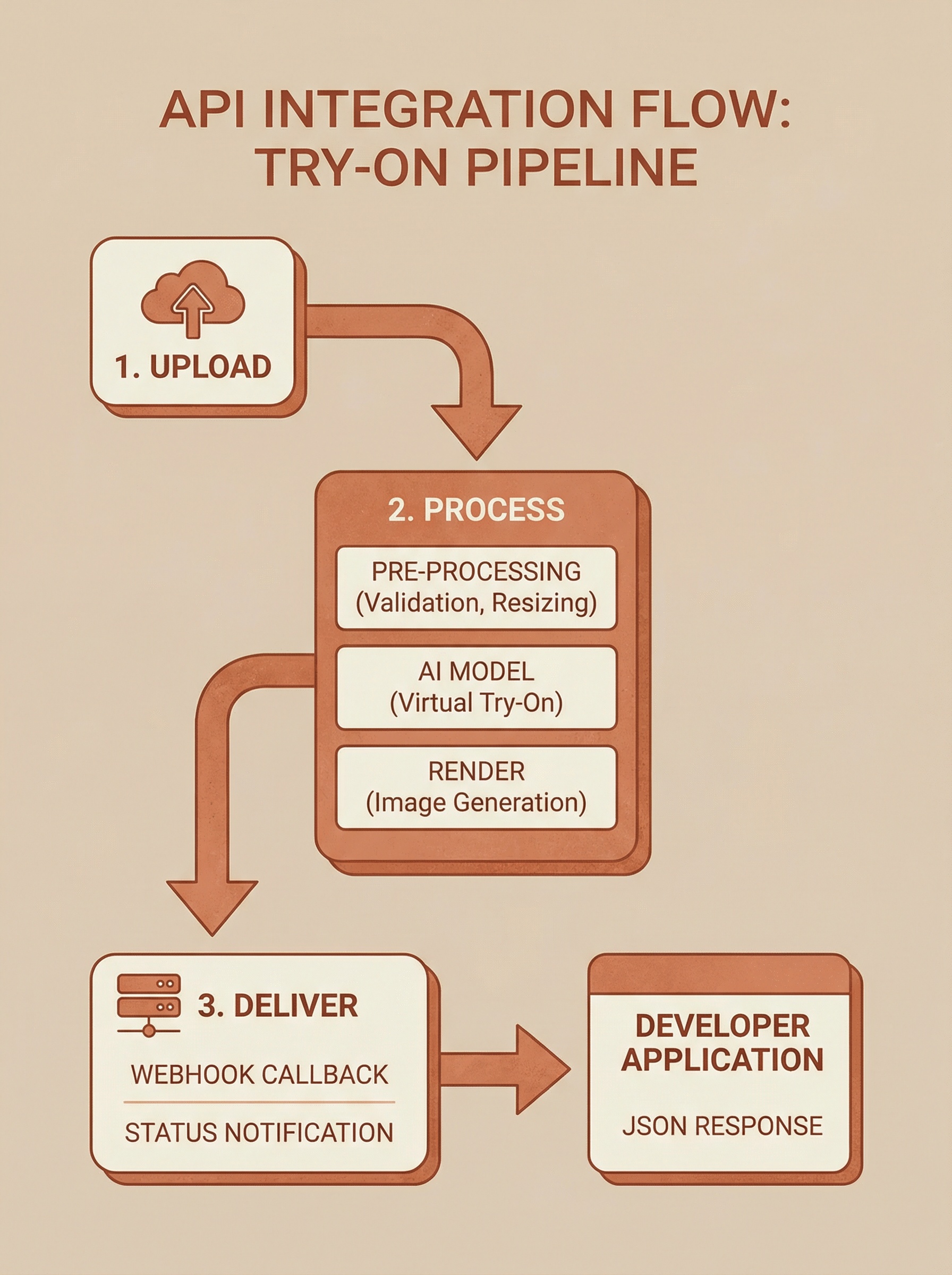
Our API supports asynchronous operations that can notify you via webhooks when a task is completed. This guide explains how to set up and use webhooks to receive updates about the status and results of your requests.
What is a Webhook?
A webhook is a user-defined
HTTP callback that is triggered by specific events. When such an event occurs, our API sends an HTTP POST request to the URL configured for the webhook. This message contains information about the event, such as job completion status and outputs. Setting Up Your Webhook
To use a webhook with our API, you need to provide a
URL endpoint that can handle HTTP POST requests. This URL will receive JSON data with the details of the API event.
Prerequisites
- A server that can accept
HTTPPOSTrequests. - A publicly accessible URL, e.g.,
https://yourdomain.com/webhook-endpoint.
Registering a Webhook
You can register a webhook by including it in your API request. Add the webhook field to the body of your API call:
{
"webhook": "https://yourdomain.com/webhook-endpoint"
}
Handling the Webhook Payload
Example API Call with Webhook
Here is an example of how to include a webhook URL in your API request using curl:
curl --location 'https://api-service.huhu.ai/tryon/v1' \
--header 'x-api-key: YOUR_API_KEY' \
--form 'input_image_garment_file=@"/path/to/file"' \
--form 'input_image_model_file=@"/path/to/file"' \
--form 'garment_type="Top"' \
--form 'webhook="https://yourdomain.com/webhook-endpoint"'
When the job is completed, our API will send a
POST request to your webhook URL with the following JSON payload:
{
"job_id": "0acefa14096e44dcad12a9b25baafdca4b605c95ffe74679adc005b48a115fec",
"status": "completed",
"output": [
{
"image_url": "https://huhu-web-statics.s3.us-west-2.amazonaws.com/tryon-models/Top_Bottom_FullBody_Man_1.png"
}
]
}
Security Best Practices
- Validate Incoming Requests: Ensure that incoming
POSTrequests to your webhook URL are from our API. This can typically be done by validating IP addresses or setting up a secret token that is part of the webhook payload. - Use HTTPS: Your webhook URL should use
HTTPSto ensure that information is encrypted in transit.
FAQ
What if my webhook fails to receive a payload?
-
Ensure your server is correctly configured to accept POST requests and that it can handle incoming network traffic. Check your server logs for any errors that might indicate why the payload was not received.
Can I use webhooks to get real-time updates?
- While not real-time, webhooks are triggered as soon as the API operation completes, making them a near-real-time solution for receiving updates.
Support
If you encounter any issues or have questions about setting up webhooks, or API, please contact our support team at support@huhu.ai.