huhu.ai

Product Updates

The latest features, improvements, and fixes to HuHu AI.

Single Try-On & Bulk Video Generation
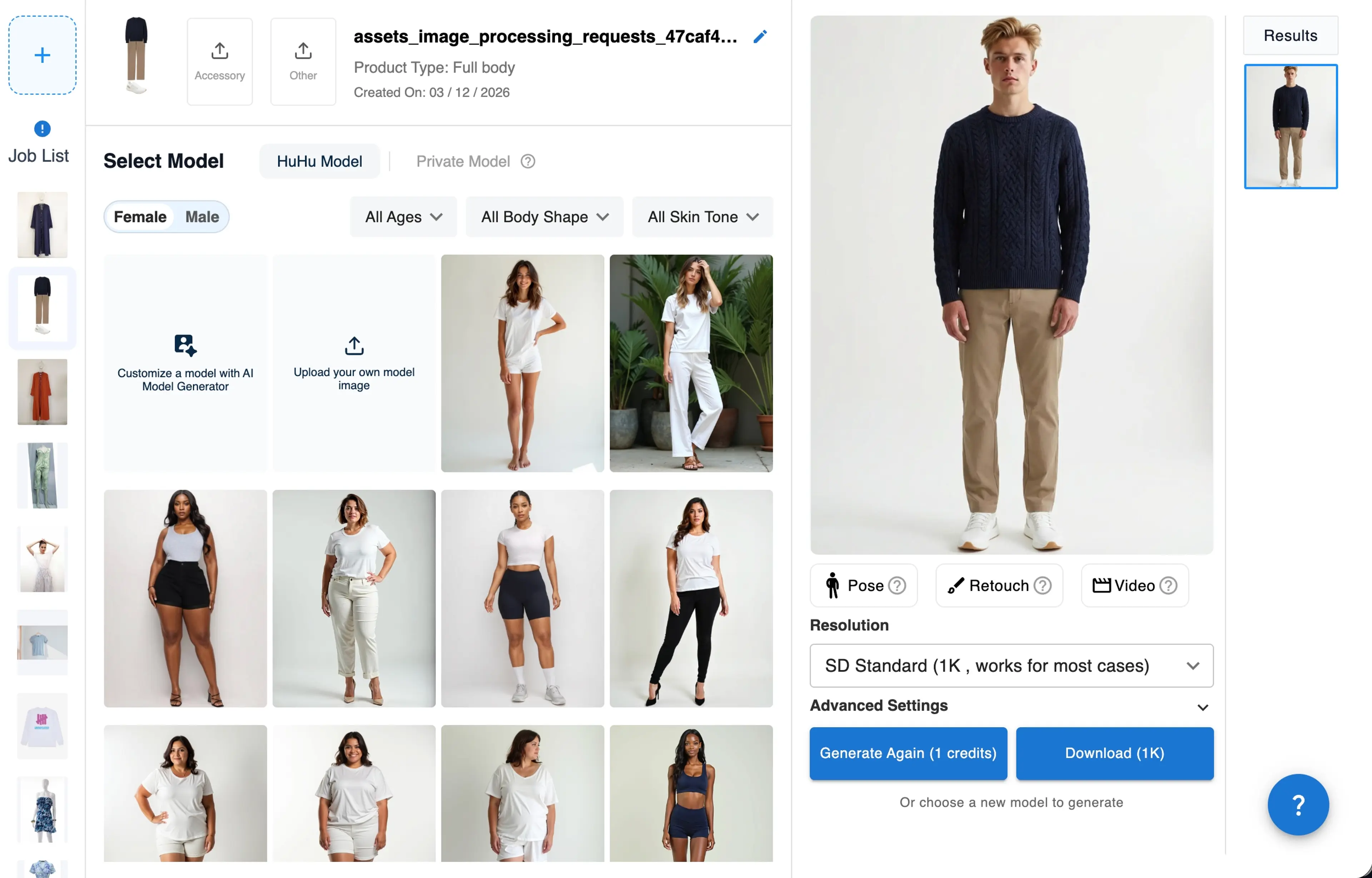
Single Try on in Team Version
Added

Added Single Try-On mode, allowing users to generate virtual try-on images one by one by uploading a garment image and selecting a model, speeding up try-on image generation process when adding SKUs without managing files.

Added

Added Bulk Video Generation mode, enabling users to upload multiple SKU images and generate video clips for each item in a single workflow.
Model Gallery Upgrade & Video Clip Regeneration

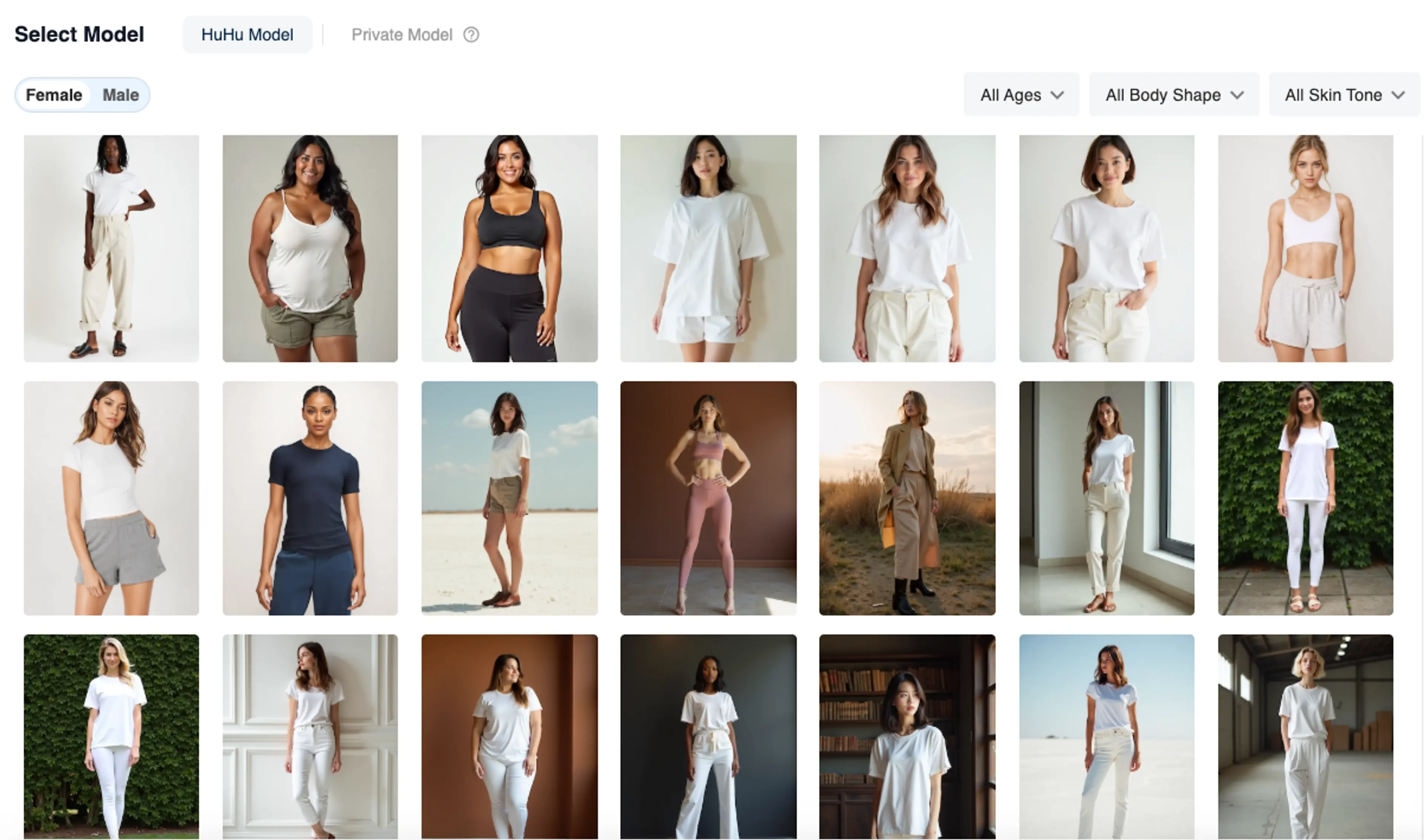
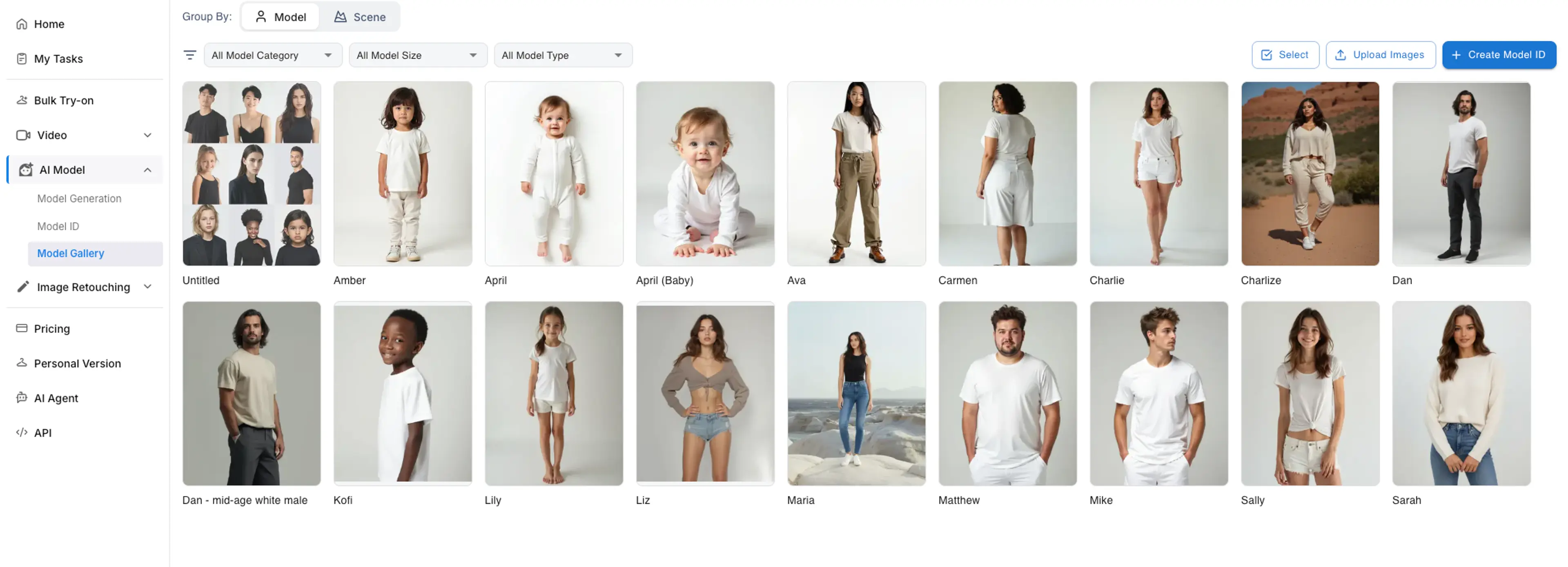
Model Gallery interface
Added

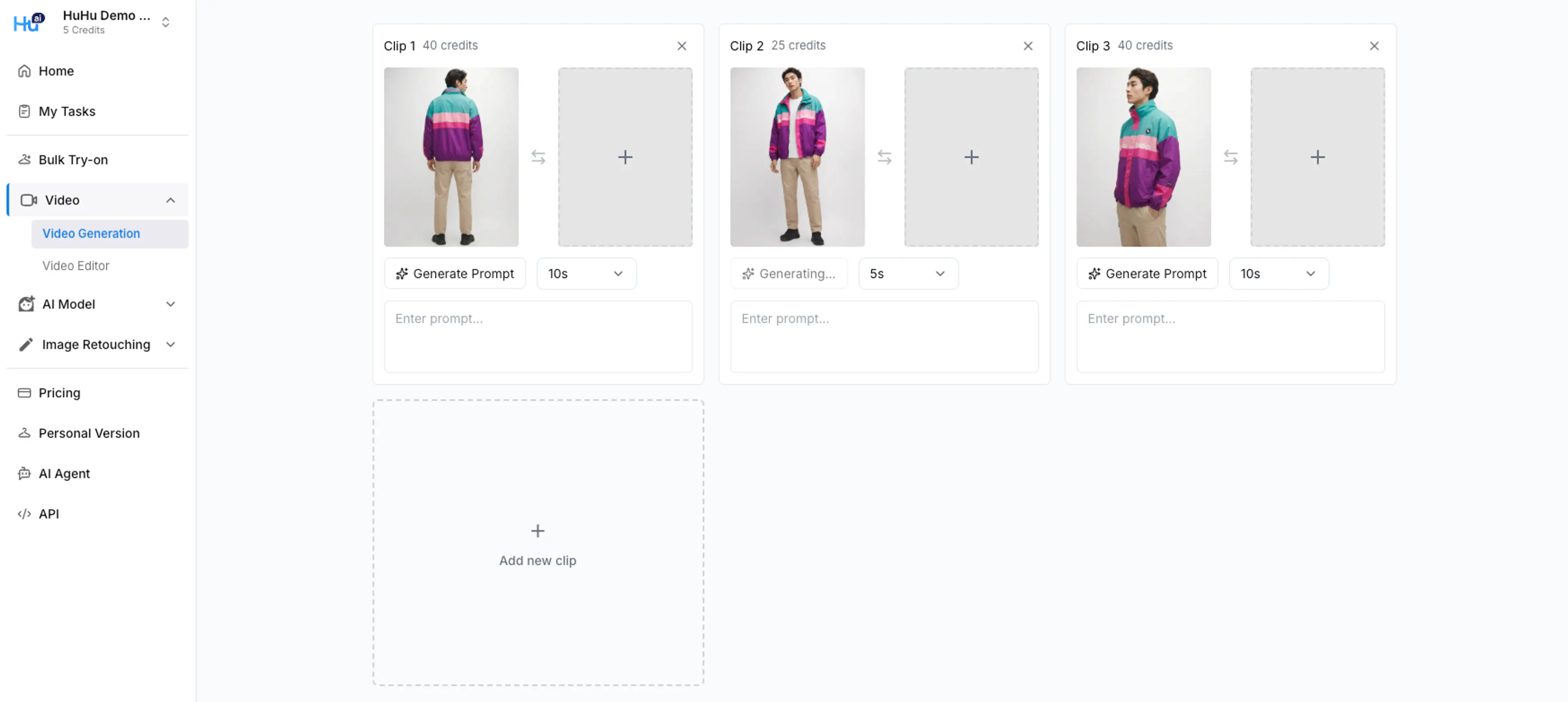
Added video clip regeneration, allowing users to regenerate individual clips during the video generation process.

Improved

Model images can now be grouped by Model ID or Scene ID.

Improved

Added Model ID attributes to help manage model categories and sizes.

Improved

Automatic detection of view types (e.g., front/back) and crop types (e.g., full body, upper body, lower body) to support automatic model pairing in projects.

Improved

Model images can now be edited or used for pose changes directly from the Model Gallery.

Improved

Added the ability to update the cover image for a Model ID.

Multi Clip Video Mode & Try-On Optimization

Multi clip mode in Video Generation
Added

Multi Clip Mode lets you create up to 3 connected clips in one video generation — control camera movement and garment motion per clip for more dynamic results.

Added

New Dynamic Intensity setting gives you control over how much movement appears in generated videos — from subtle fabric sway to full-motion scenes.

Improved

Try-On engine optimized to better preserve original garment stitching, texture, and layering details — especially for complex or multi-piece outfits.

Overview Page & Bulk Generation Workflow Update

Overview page in HuHu Studio Team Version
Added

New Overview Page lets you view all generated content — model images, try-on results, videos, and edits — in one unified feed.

Added

Model images and videos now support Bulk Generation with the same workflow as try-on: add to queue, configure, and generate at scale.

Improved

Face Reference now works in both Model and Try-On generation — apply the same face across all content types for brand consistency.

Model Background Reference & Bulk Workflow Enhancements

Saved Detail Control options
Added

Background Reference for Model Generation — upload a background image and the model will be placed naturally into that scene, matching perspective, lighting, and color tone.

Added

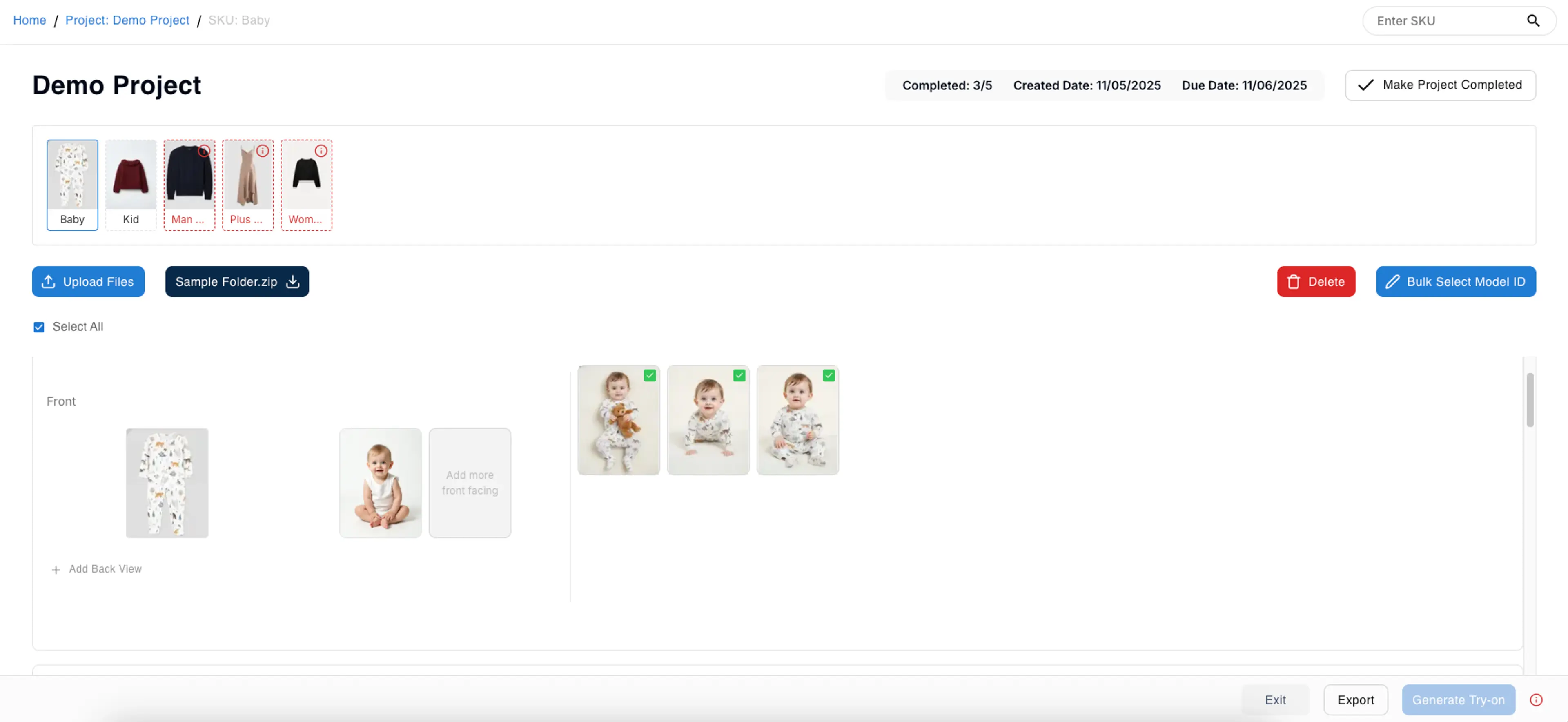
Manual Model Pairing in Bulk Try-On — you can now assign specific models to specific garments before generating, giving full control over pairing.

Added

Smart Generation Mode in Bulk Try-On — enable it to skip garments that have already been generated with the same model, saving credits and avoiding duplicates.

Improved

Model gallery now shows model usage status and supports filtering by paired/unpaired, making it faster to find and manage models across large projects.

Task Review Workflow & Generation Improvements

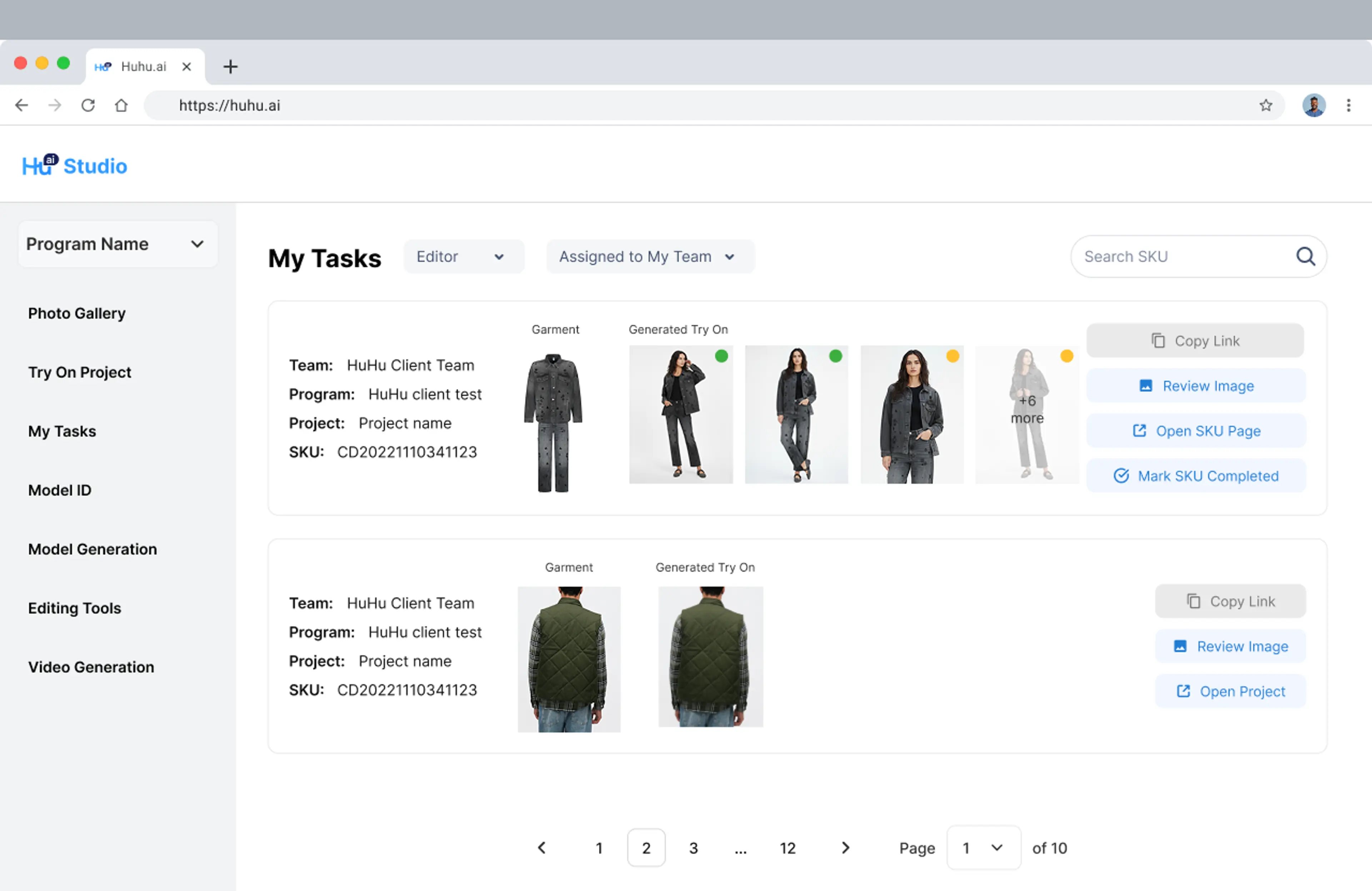
My Task updated interface
Changed

All generation results now appear in a reviewable task list — approve, reject, or regenerate results before exporting.

Changed

Task panel redesigned to show status indicators, model-garment pairing info, and quick actions in one view.

Improved

Try-On quality improved for garments with fine details — lace, mesh, embroidery, and print patterns now render more accurately.

Improved

Video generation speed increased by ~30% with no reduction in output quality.

2K Resolution Standard & Model Quality Upgrade

Changed

All model generation outputs are now 2K resolution by default — sharper detail for face, fabric, and accessories.

Changed

Model anatomy and hand quality significantly improved — fewer artifacts in fingers, wrists, and complex poses.

Changed

Lighting and shadow consistency enhanced across model poses to reduce unnatural hotspots and flat areas.

Garment Detail Control for Bulk Try-On

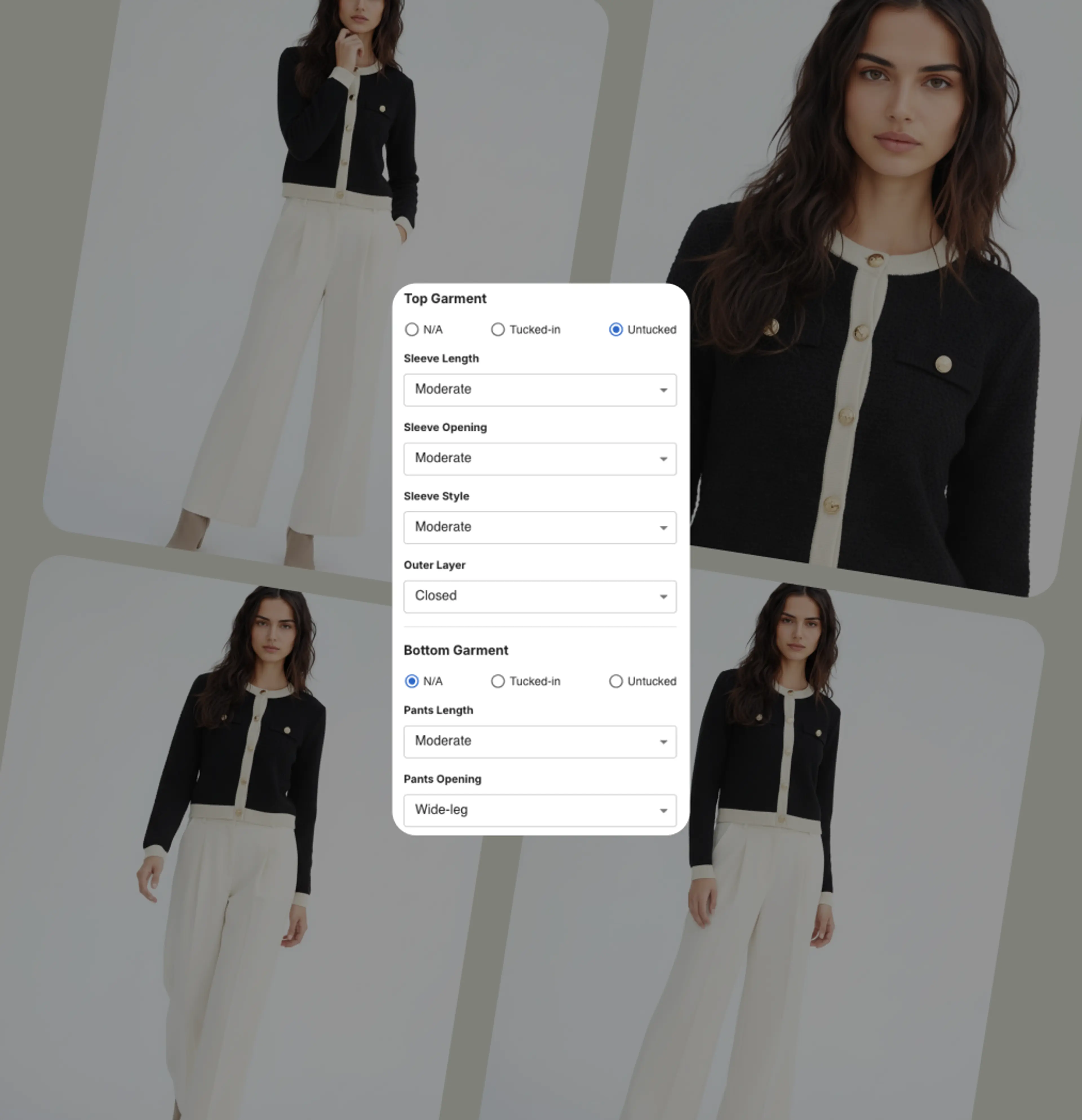
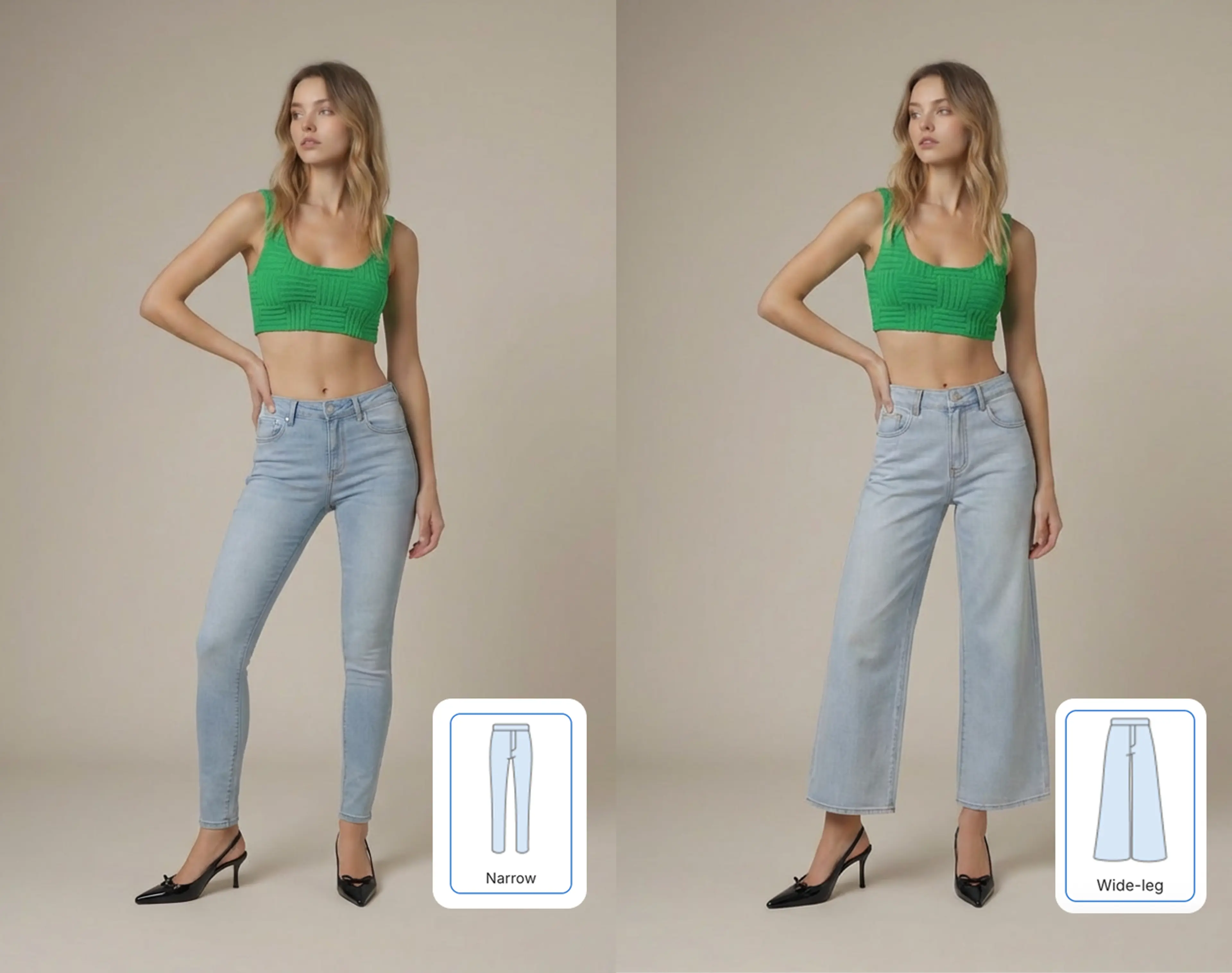
Detail Control
Detail Control
Added

Garment Detail Control lets you fine-tune how closely the try-on result matches the original garment's texture, pattern, and structure — available for both single and bulk try-on.

Video Editing & Bulk Try-On Improvements

Video editing tool
Video editing tool
Added

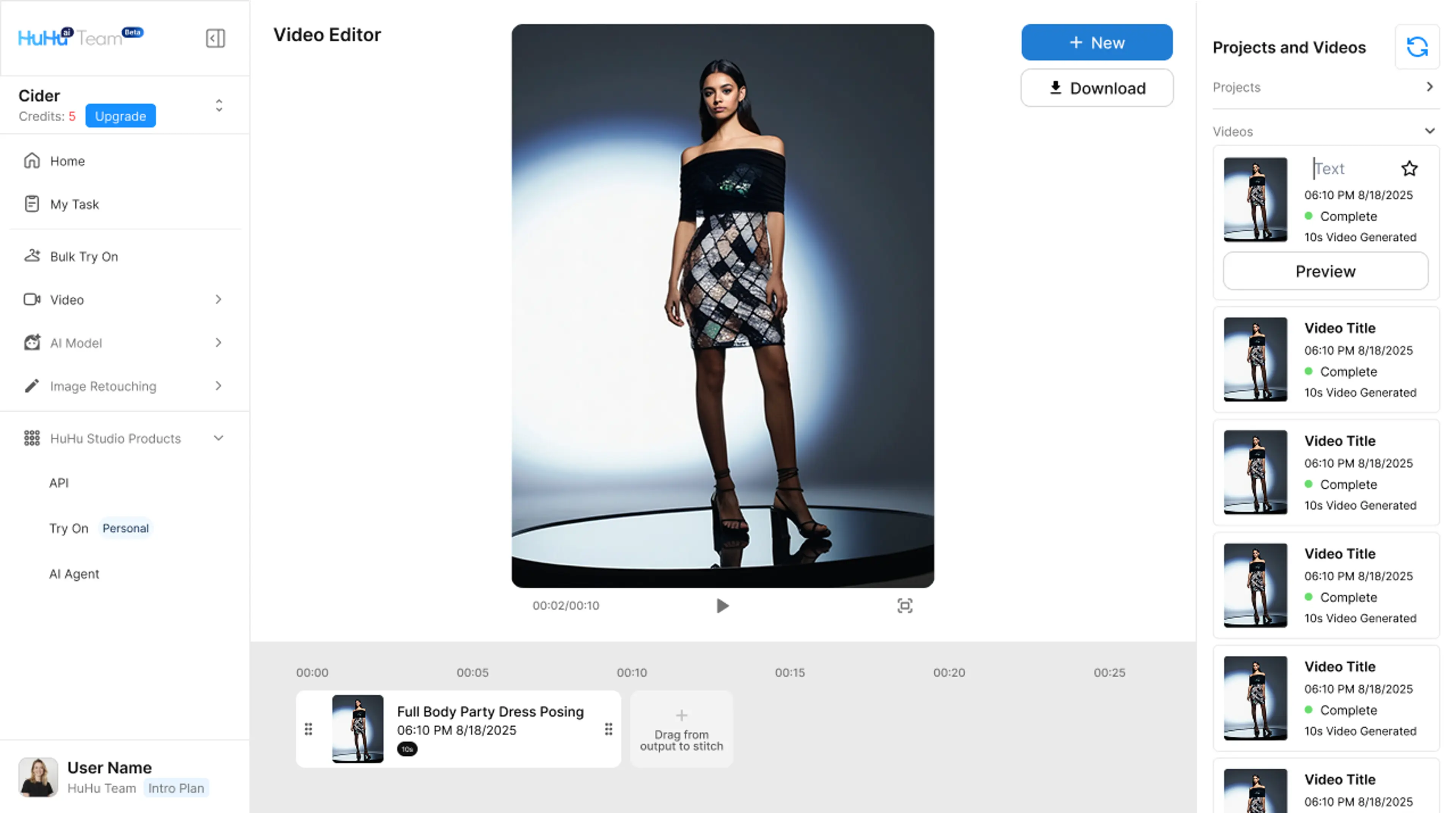
Video Editing module — trim, crop, adjust playback speed, and add text overlays to generated videos directly in HuHu Studio.

Added

Batch export for videos — download all generated videos for a project in one click with customizable naming and resolution settings.

Improved

Bulk Try-On now supports up to 500 garments per batch, with parallel processing and a real-time progress dashboard.

Garment Pairing UI Update

Garment pairing interface
Improved

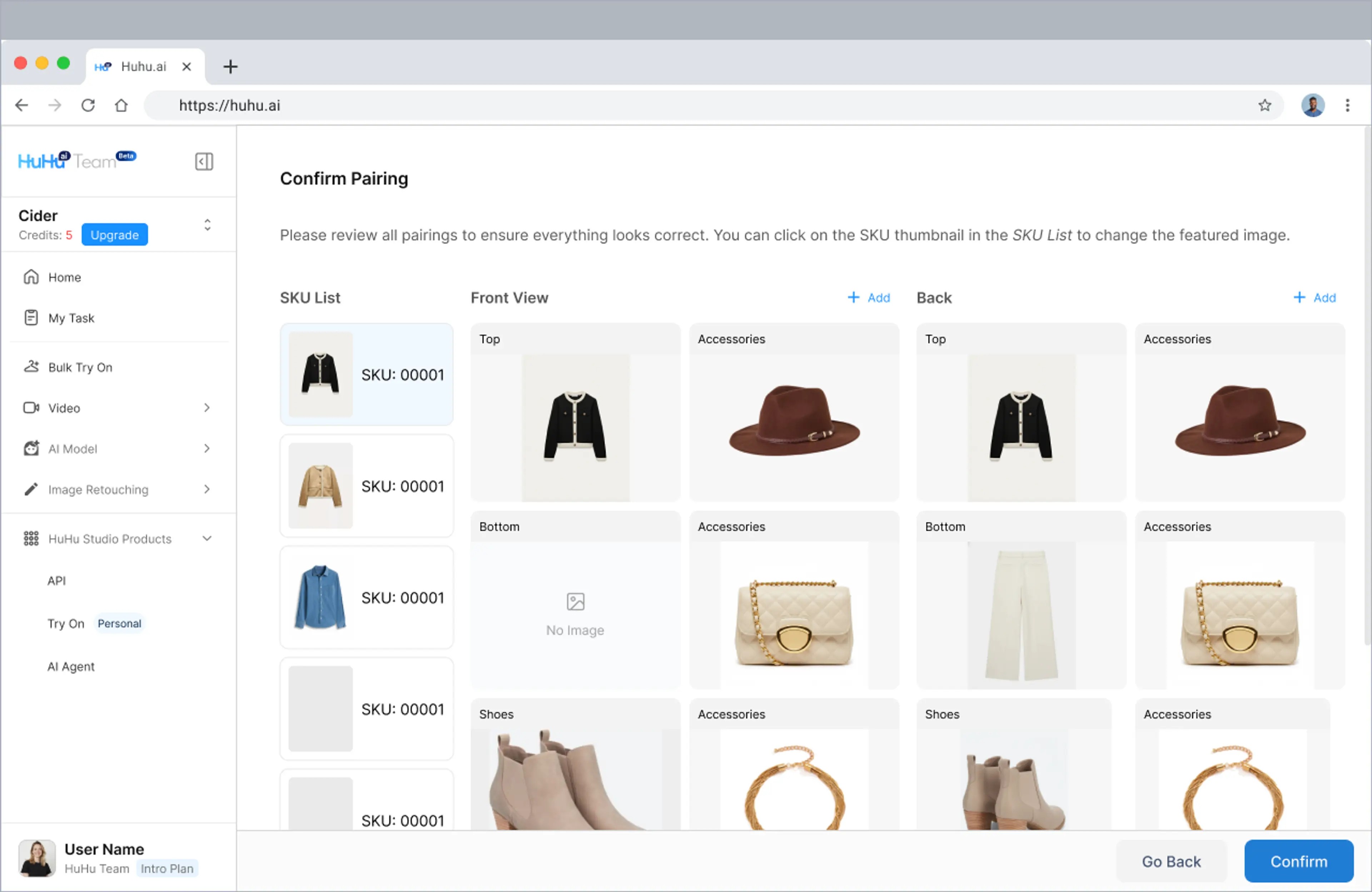
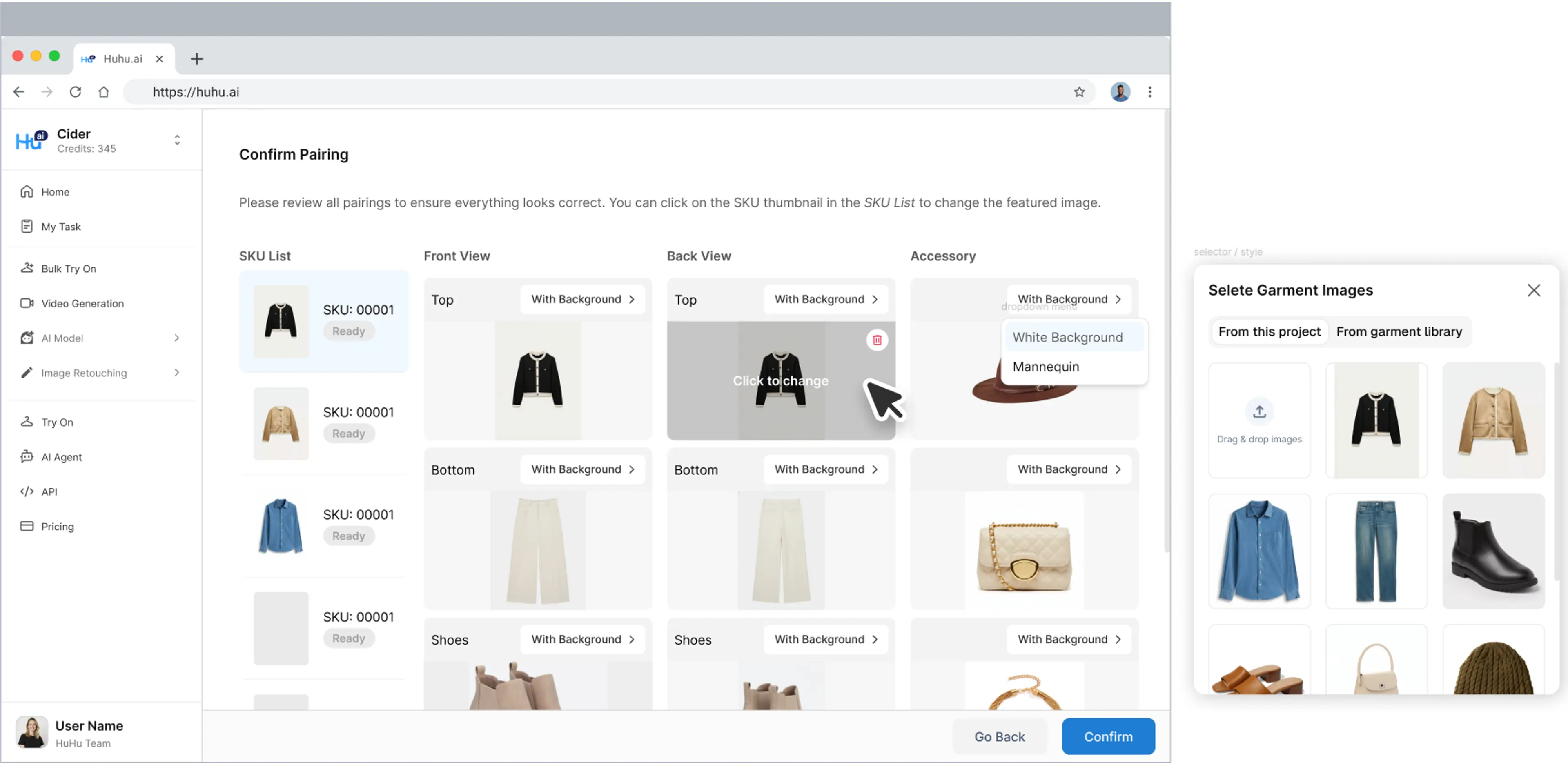
Garment pairing interface redesigned with drag-and-drop support — pair models with garments visually, with instant preview thumbnails and undo/redo.

Studio Team Update

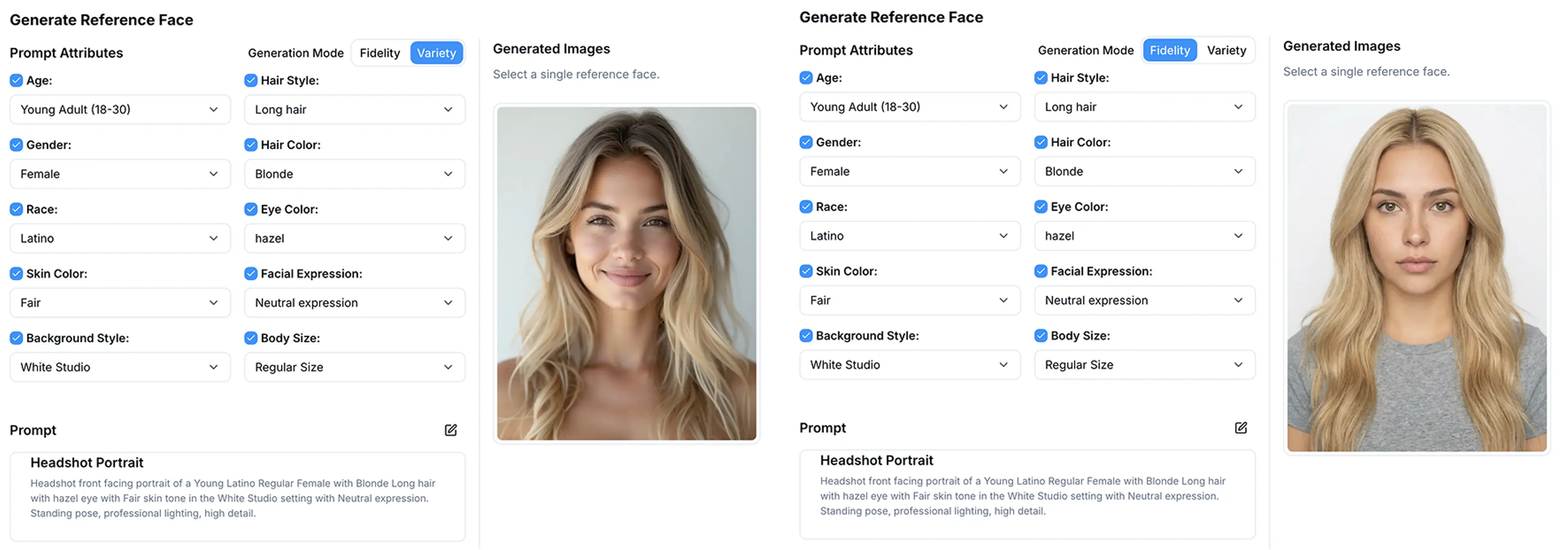
Different modes of face reference generation
Added

Team workspace — invite team members to collaborate on projects with role-based permissions (Admin, Editor, Viewer).

Added

Activity log tracks all generation, editing, and export actions per team member.

Improved

Project organization upgraded with folders, tags, and search — find any asset across all projects instantly.

Improved

Dashboard now shows team usage stats, credit consumption, and generation history in a single view.

Improved

Export options expanded — download in PNG, JPEG, WebP, or TIFF with configurable quality and metadata settings.

Auto Batch Mode for SKU-Level Try-On

Auto batch mode project interface
Added

Auto Batch Mode — upload a product catalog CSV and HuHu automatically creates try-on tasks for each SKU, matching garment images to models based on your rules.

New Preset Models for Virtual Try-On

New preset models in model library
Added

20+ new preset models added to the model gallery — diverse body types, ethnicities, and poses optimized for fashion e-commerce.

Multiple Inputs – Custom AI Outfit Builder

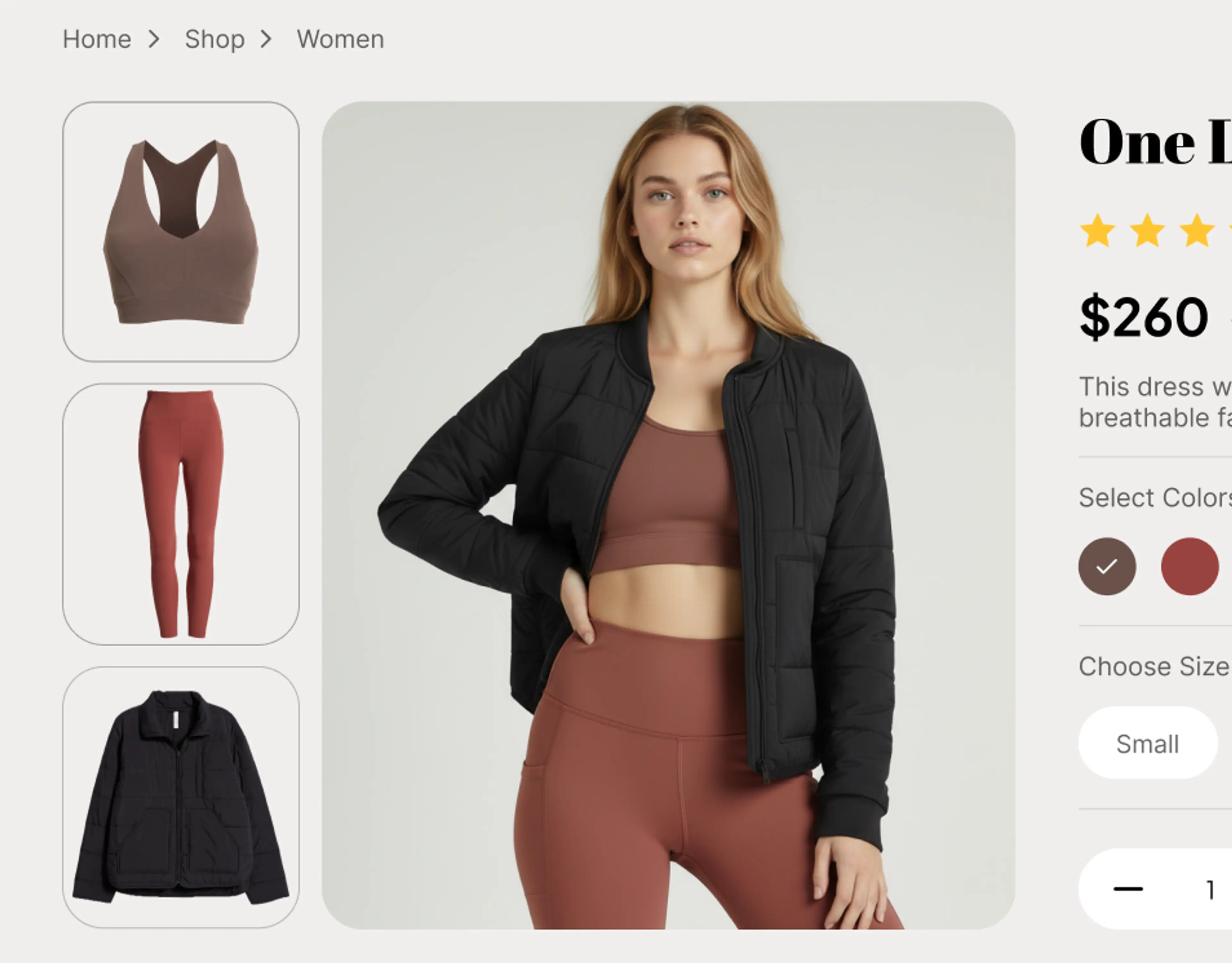
Mix and match for multiple garment pieces
Added

Multiple Garment Input — combine up to 4 garments (top, bottom, outerwear, accessories) in a single try-on to create complete outfit looks on one model.

HuHu AI Team Version

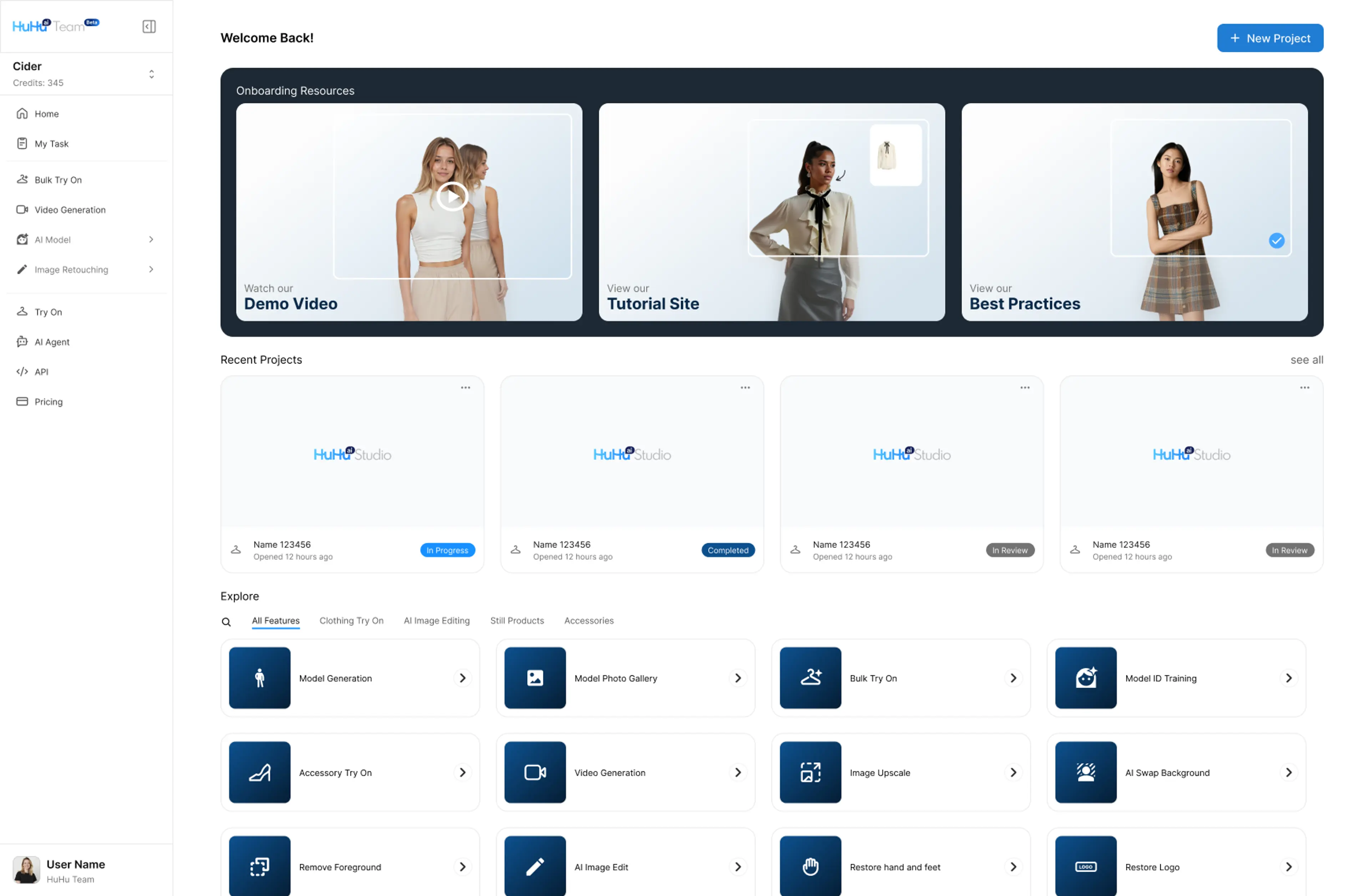
HuHu Studio team version home user interface
Added

HuHu AI Team Version launched — centralized workspace for brands and studios with shared model libraries, project templates, and team billing.