
AI Background Changer
Remove backgrounds with 1 click or replace them using text prompts or reference photos. Create high-end visuals for commercial use in seconds.

How to Change Photo Background with AI?
1. Launch the AI Background tool
Upload an image to the “Detail Retouch” tab under AI Try-on in the editor.
2. Edit the background
Click “Background”, and choose to remove, or replace with text or reference.
3. Generate and download
Generate once you enter the prompt or reference, and download your results when ready.
Why Use AI Background Changer?

Professional-looking visuals without a studio
Launch new listings or creative assets faster than ever. You can generate studio-quality backgrounds, lifestyle scenes, or branded environments using only text or photo reference. Reduce dependency on expensive shoots or complex editing workflows.
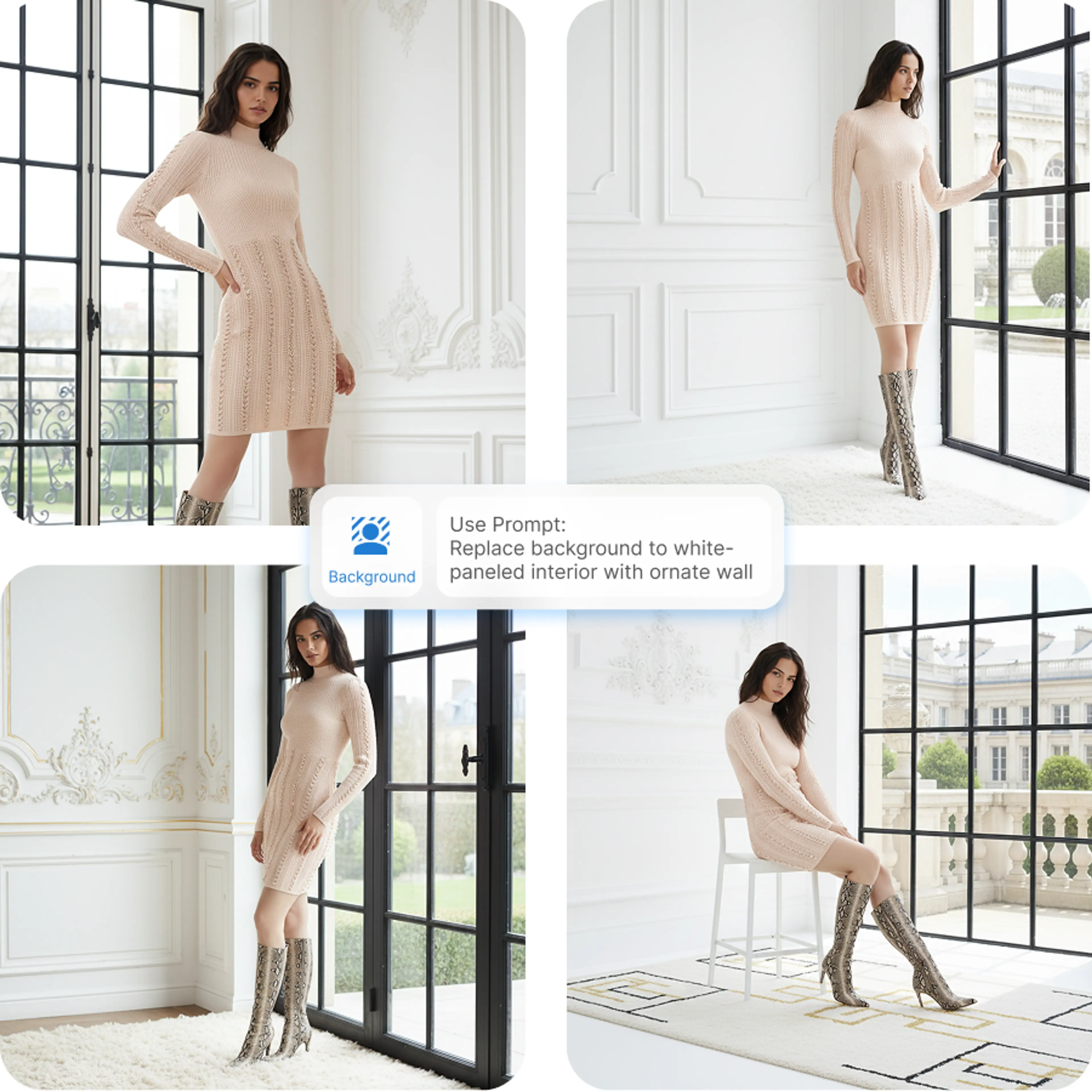
Clean product visuals, no editing skills needed
Whether you're cleaning up product photos or creating new scenes, edits stay sharp and natural. This saves valuable time for eCommerce teams and designers working at scale.
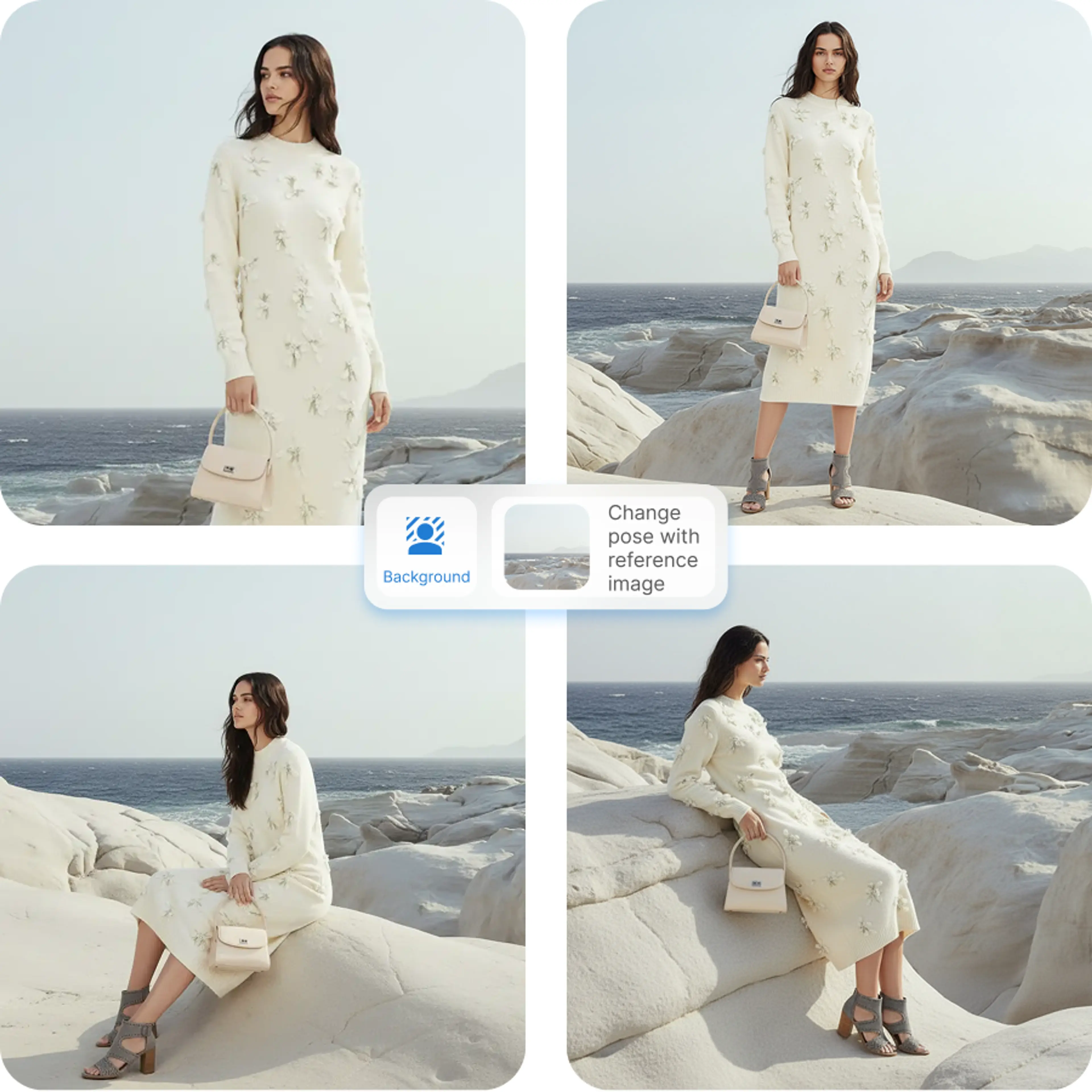
Perfect for listing, social media, and high-end ads
Produce scroll-stopping visuals that look polished and professionally shot. With AI-powered background editing, your product photos instantly become marketplace-ready and visually consistent across all channels.
Key Features of AI Background Changer

One-click photo background removal
No need to edit out the background manually, AI automatically detects the subject and removes the background with precise cutouts.
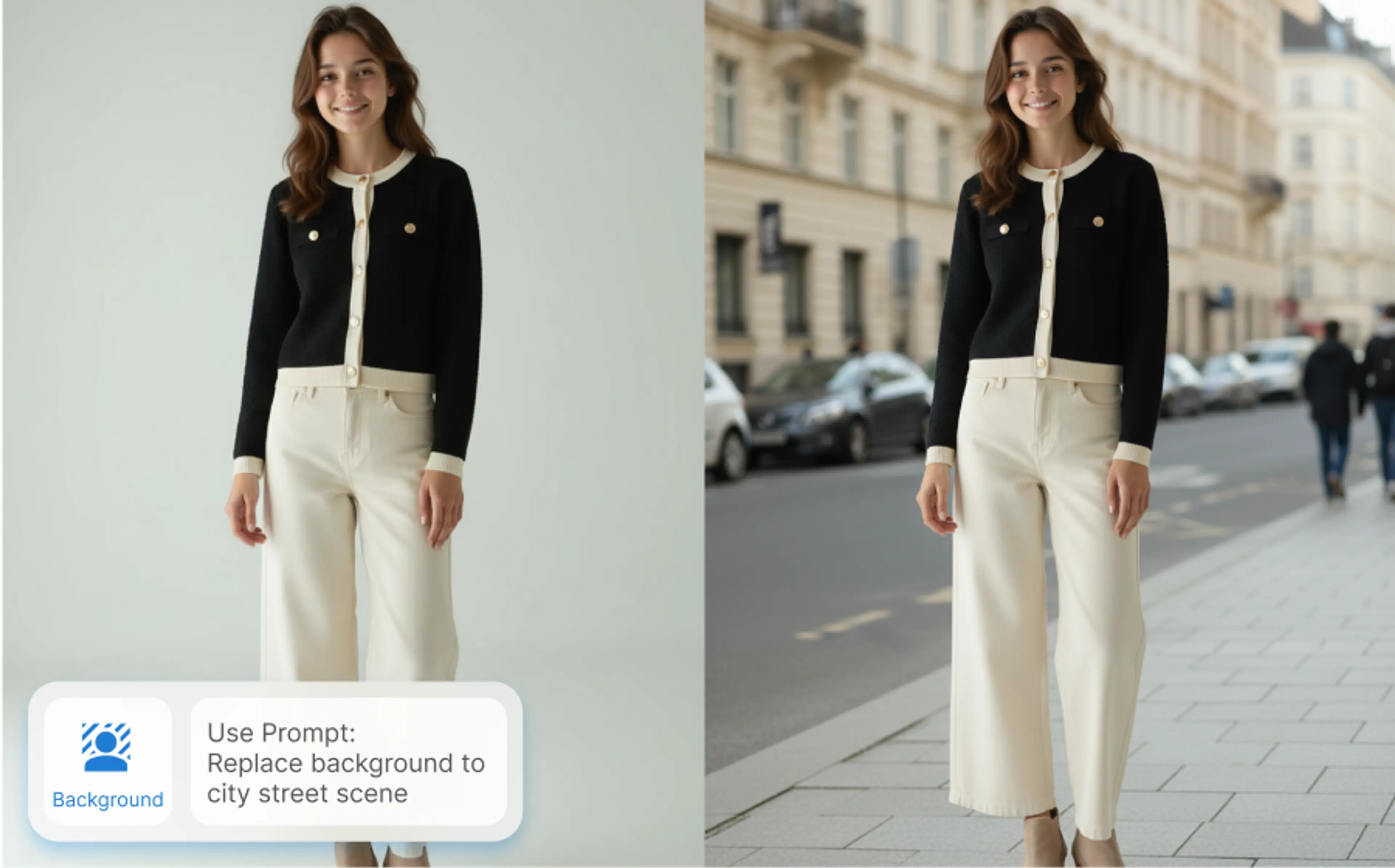
Generate a new background by describing it
Type what you want — a studio backdrop, outdoor scene, or branded environment. AI instantly creates a background that blends naturally.
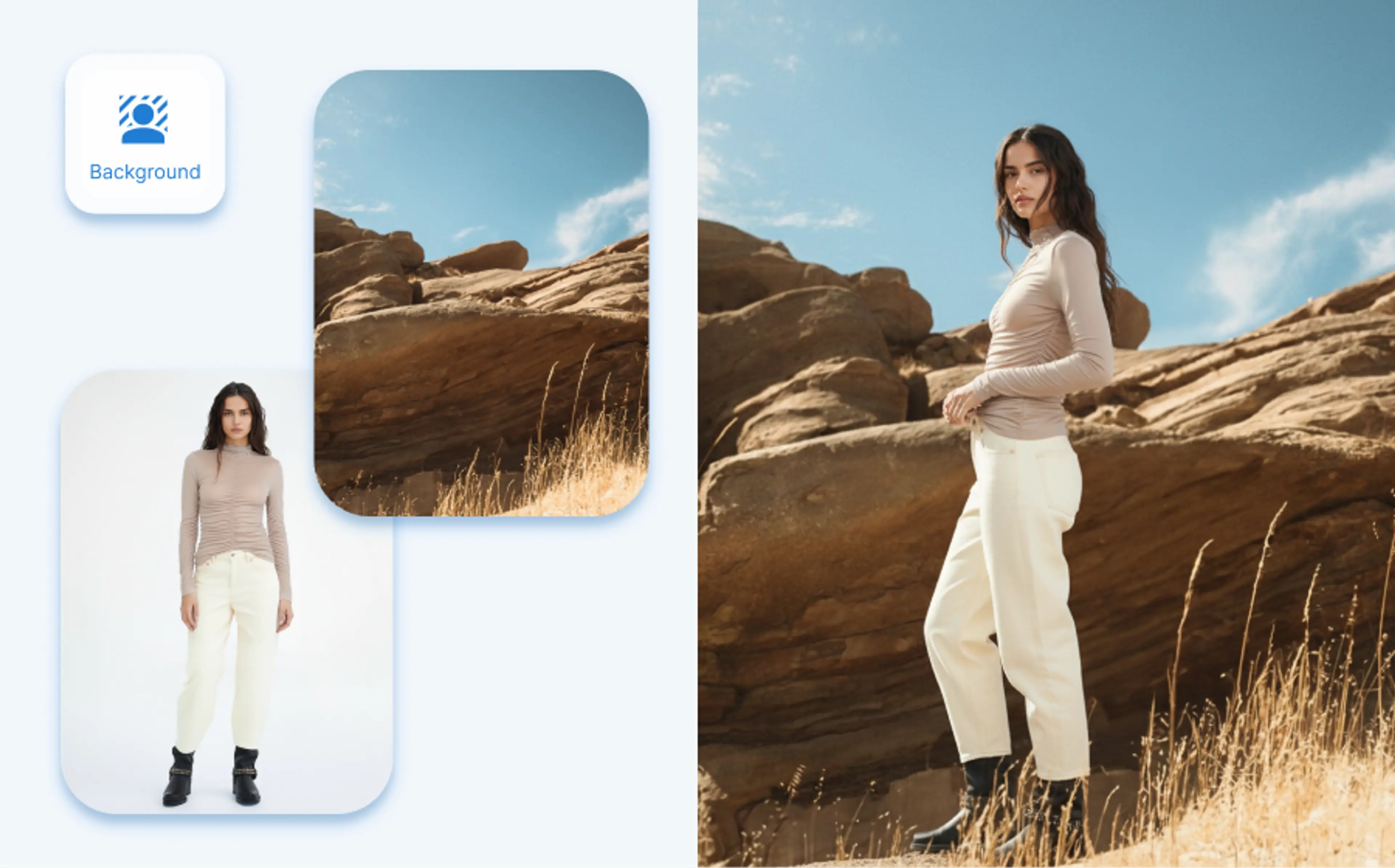
Replace background using your own image
Match your brand’s look by uploading a specific background photo, maintaining consistent aesthetics across product lines.
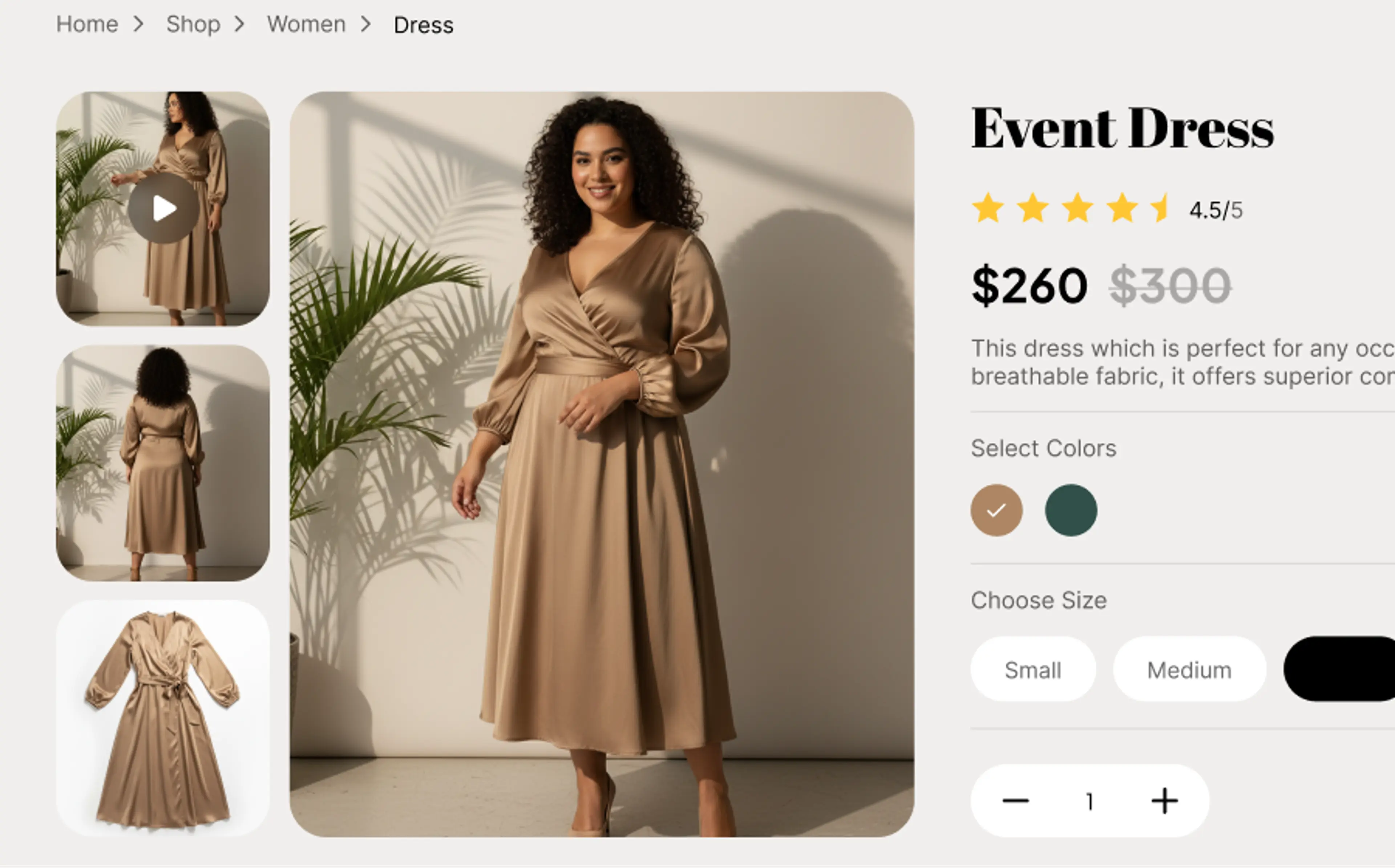
Marketplace-ready backgrounds
The tool ensures generation of polished, professional backgrounds optimized for eCommerce product listings.
FAQs About AI Background Changer
What is an AI background changer?
An AI background changer is a tool that removes, replaces, or redesigns the background of any image automatically. It eliminates the need for manual masking or Photoshop skills.
How do I use AI to change a photo background?
Our AI background changer automatically detects the subject in your image and applies a new background using prompts or references.
Simply upload your photo, choose to remove or replace the background, and download the final result.
Can AI really change the background of a photo?
Yes. Our background changer model accurately detects people, objects, and products in your original photo, and replace backgrounds seamlessly.
What will my edited image look like if I replace the background with a reference?
When using a reference image, our AI adapts your subject to match the lighting, colors, and style of the reference background. This ensures the final image looks natural and cohesive, almost as if it were taken in the same setting.